POS Screen Overview
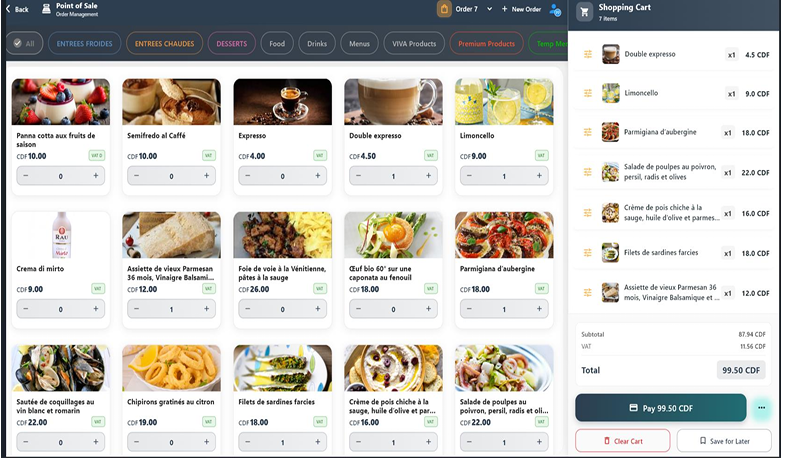
The POS screen is the main workspace used during daily operations. It allows the cashier to interact with products, prepare customer orders, and finalize payments.
The interface is organized into three main areas:
- Products & Categories Section
- Cart Section
- Payment Section
tip
Each section plays an important role in completing a transaction.