Adding and Viewing Products
Add a Product to Cart
🛒
Quick add process
To add a product:
1️⃣
Step 1→
2️⃣
Step 2→
✅
Complete1. Tap or click on the product.
2. The product is immediately added to the cart.
💡
If the same product is selected multiple times, the system automatically increases the quantity instead of creating duplicate entries.
This behavior allows for quick order creation during busy periods.
Viewing Product Information
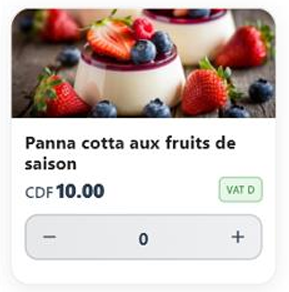
Before confirming a product, the cashier can view details such as:
1Product name
2Description
3Price
4Increase quantity (+)
5Enter a number for quantity
6Decrease quantity (-)
✓
This ensures that the appropriate item is selected for the customer.