Automatic Calculations and Payment Procedure
Automatic Calculations
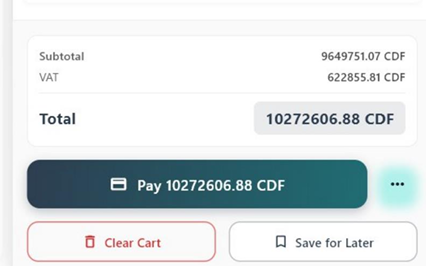
The system automatically calculates:
Subtotal
Taxes (VAT)
✅Final total
Remaining balance during payment
Change to return to customer
⚡
No manual calculation is required.
Payment Procedure
Once the order is correct:
1Carefully review the cart.
→
2Press the Pay button.
The system opens the payment screen and prepares the transaction for completion.
Invoice Preview After Payment
After finalizing the payment, the system displays an invoice preview.
This step allows the cashier to confirm that all order details are correct before finalizing the transaction.
Information Presented in the Preview
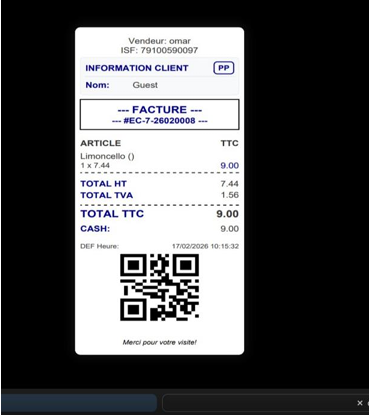
The preview generally includes:
Products and quantities
Taxes
Discounts (if applicable)
Final total amount
Selected payment method
Amount received (for cash payments)
✓
This preview exactly reflects what will appear on the final invoice.