Data synchronization
During the first use, synchronization must be carried out. This operation downloads:
- the products
- categories
- system parameters.
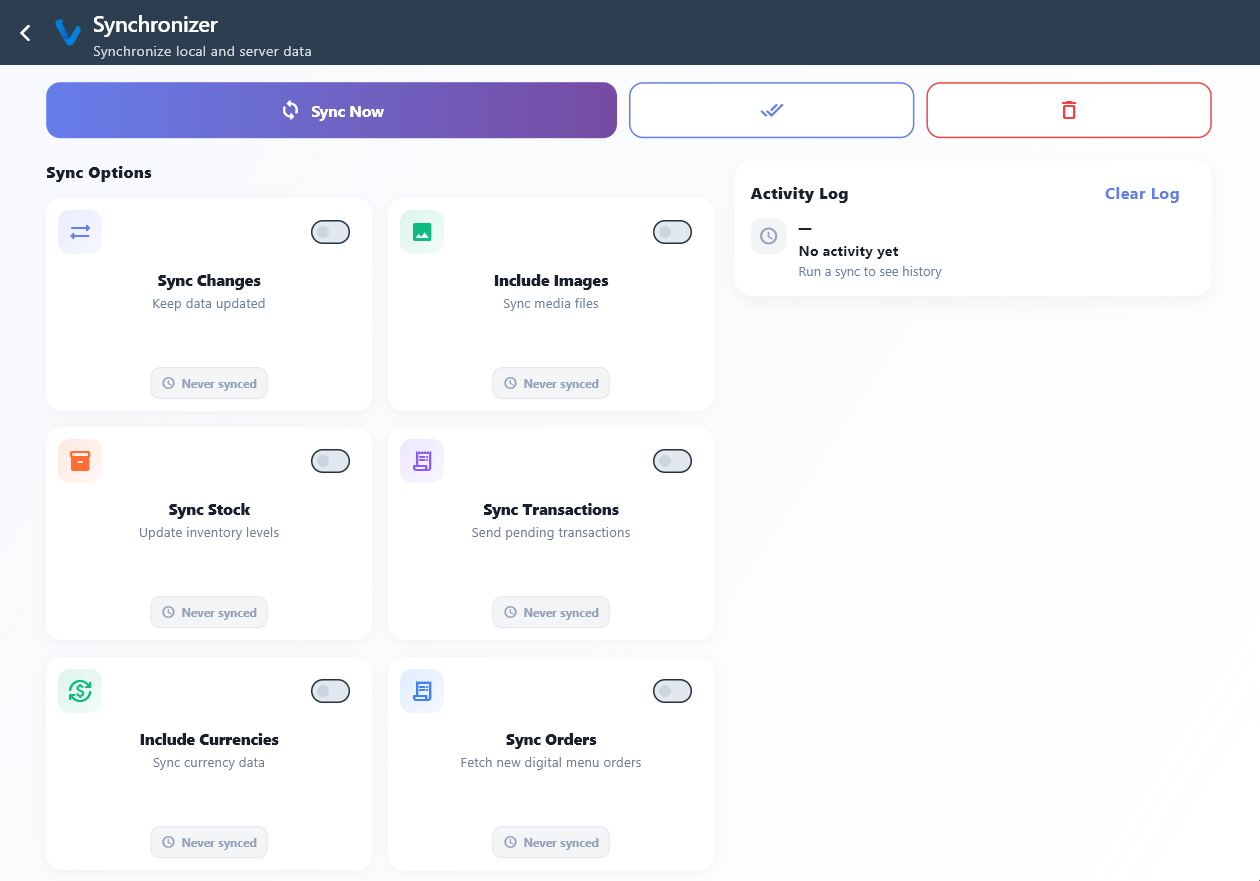
Sync options
- Sync changes
- Sync changes with images
Sync Changes:
- products
- categories
- modifications
Images are not included.
Synchronize:
- products
- categories
- product images
Recommended for first installation
Quick sync
A special icon allows you to activate all options with a single click.
Procedure
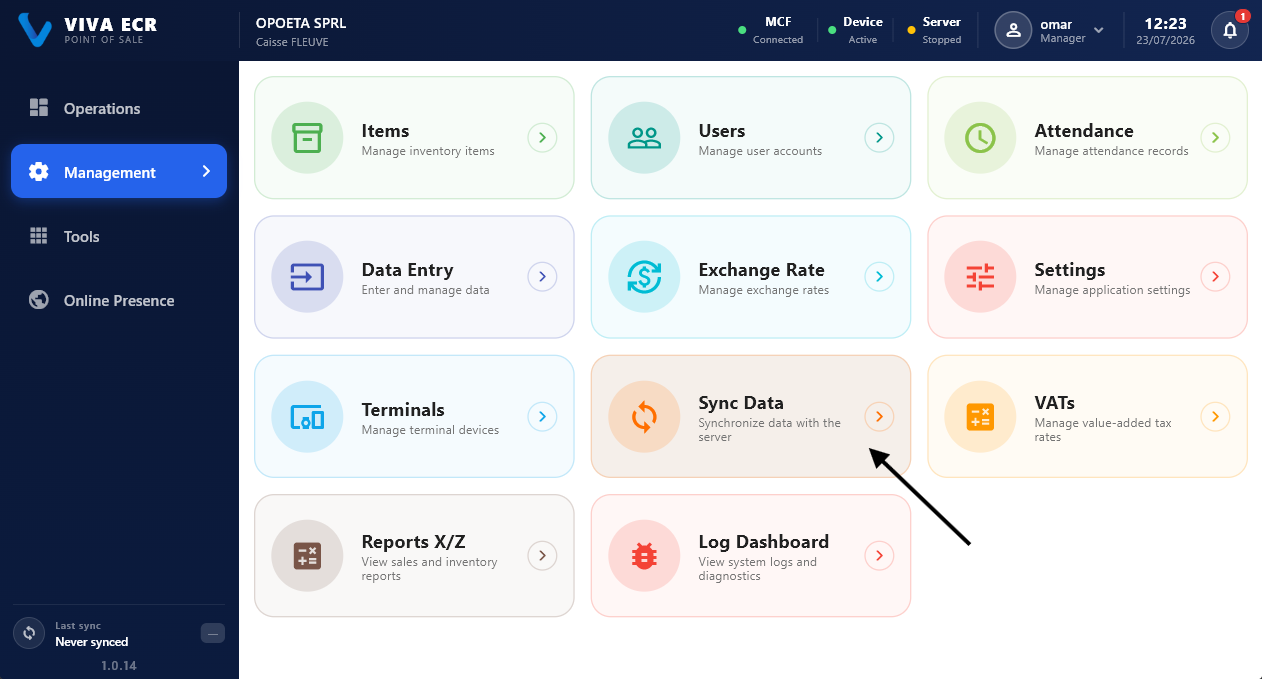
1- open the Sync Data\ module
2- choose the option
3- click on Sync
4- wait for the download to finish.